Sign in with Sturdy ID
Who it’s for: Everyone
Where: Sturdy Sales
Before you start: Your manager has given your Sturdy ID access to the workspace.
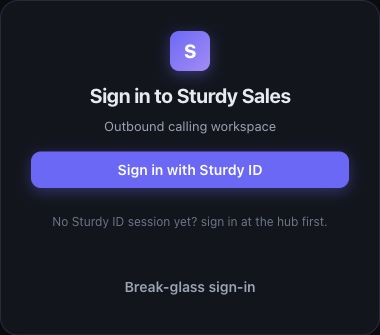
Example workspace with sample data.
- Open your workspace link or Sturdy Sales.
- If you do not yet have a Sturdy ID session, use sign in at the hub when that link is shown.
- Choose Sign in with Sturdy ID and complete the sign-in prompts.
- Open Today to see work that needs attention. If you followed a record link, check that it opens the intended record.
You’ll know it worked when…
Section titled “You’ll know it worked when…”You can open Today and the sections your role allows.
Notes & limits
Section titled “Notes & limits”- An unknown-account message means a manager needs to invite you. An inactive-access message means your workspace access needs attention.
- If a record says Open the correct workspace, use Sign in to the linked workspace.
- Break-glass sign-in is for an operational account supplied by your administrator; it is not the usual team sign-in route.
- See Troubleshooting if the Sturdy ID button is missing.