Set up your workspace
Who it’s for: Workspace managers
Where: Settings → Startup wizard
Before you start: Permission to edit workspace settings.
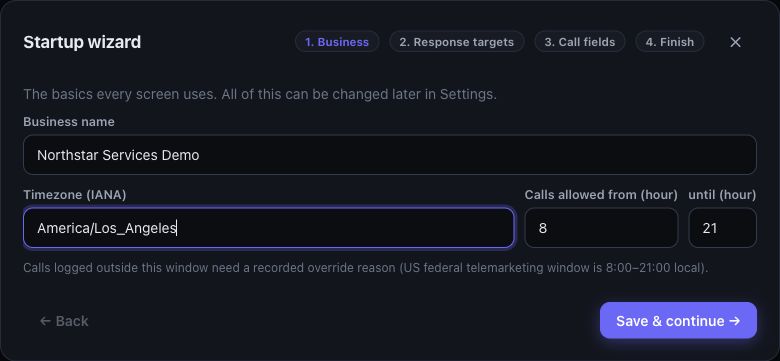
Example workspace with sample data.
- Open Settings and choose Start setup or Re-run wizard. A new workspace may offer the wizard automatically.
- In Business, set the business name, timezone and calling window, then choose Save & continue.
- In Response targets, set the lead first-touch target and case response and resolution targets.
- In Call fields, tailor Primary Need, interest levels, situation chips and who-was-reached choices to your business.
- Review the Finish step and choose Finish setup.
- Continue with team access, response hours and automations.
You’ll know it worked when…
Section titled “You’ll know it worked when…”The wizard confirms setup is complete. Settings shows the completed setup and allows you to rerun it.
Notes & limits
Section titled “Notes & limits”- Each Save & continue saves that step. You can return to Settings later.
- Older records keep their existing call-field values when you change the choices.
- Finishing the wizard does not establish website delivery, configure email or turn on every automation.