Start your day with Today
Who it’s for: Salespeople and managers
Where: Sidebar → Today
Before you start: Sign in to your workspace.
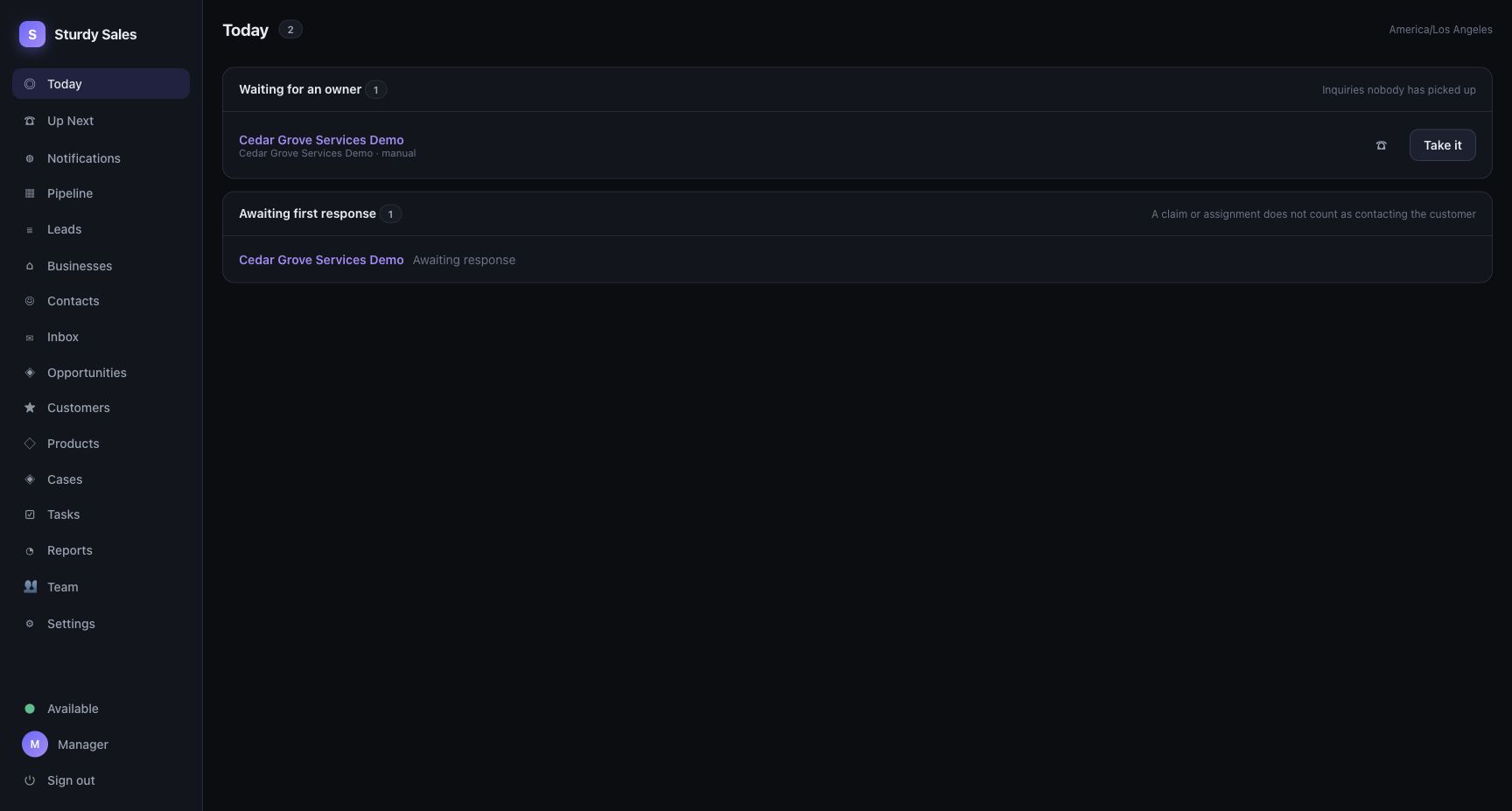
Example workspace with sample data.
- Open Today and check Waiting for an owner. Open an inquiry to review it; choose Take it if you are taking responsibility and have assignment access.
- Check Awaiting first response. Open each inquiry and record the actual contact attempt.
- Work through Due today. Mark a task done only after completing it.
- Open Overdue follow-ups and record the outcome or arrange a new next step.
- Review No next step and give each open deal an action and a due date.
You’ll know it worked when…
Section titled “You’ll know it worked when…”Completed or resolved items leave the relevant list when it refreshes. When no work is waiting, Today says Nothing is waiting on you.
Notes & limits
Section titled “Notes & limits”- Claiming or assigning an inquiry does not count as contacting the customer.
- A section without permission says Your account does not have access to this. It is not an all-clear result.
- The page shows the workspace timezone. A section can have more items than the rows displayed.
- For the contact workflow, see Respond to a website inquiry.